|
| | __init__ (self, Any response) |
| |
| "ResultSet" | raise_on_error (self) |
| |
| bool | is_empty (self) |
| |
| bool | has_next (self) |
| |
| Record | next (self) |
| |
| "ResultSet" | __iter__ (self) |
| |
| Record | __next__ (self) |
| |
| Iterator[Record] | records (self) |
| |
| str | __str__ (self) |
| |
| Iterable[Dict[str, Any]] | as_primitive_by_row (self) |
| |
| Dict[str, List[Any]] | as_primitive_by_column (self) |
| |
| "DataFrame" | as_pandas_df (self) |
| |
| Optional[str] | as_ascii_table (self, Optional["Console"] console=None, str style="table", Optional[int] width=None, int min_width=8, Optional[int] max_width=None, int padding=1, bool collapse_padding=False) |
| |
| Record | one (self) |
| |
| Optional[Record] | one_or_none (self) |
| |
| | print (self, str style="table", Optional[int] width=None, int min_width=8, Optional[int] max_width=None, int padding=1, bool collapse_padding=False) |
| |
Definition at line 211 of file result_set.py.
◆ __init__()
| __init__ |
( |
|
self, |
|
|
Any |
response |
|
) |
| |
◆ __iter__()
| "ResultSet" __iter__ |
( |
|
self | ) |
|
◆ __next__()
◆ __str__()
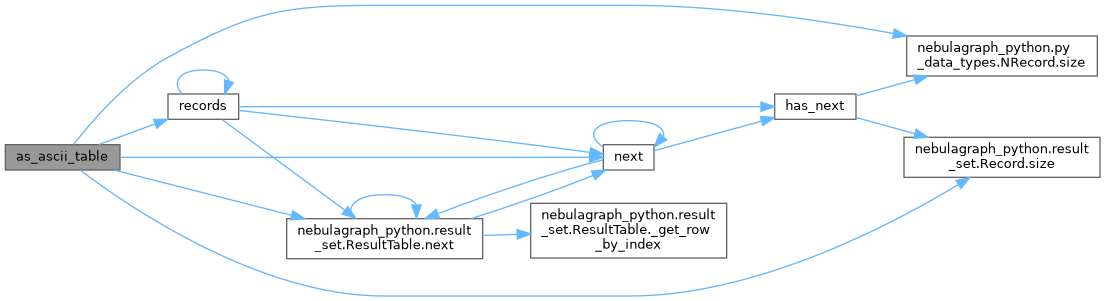
◆ as_ascii_table()
| Optional[str] as_ascii_table |
( |
|
self, |
|
|
Optional["Console"] |
console = None, |
|
|
str |
style = "table", |
|
|
Optional[int] |
width = None, |
|
|
int |
min_width = 8, |
|
|
Optional[int] |
max_width = None, |
|
|
int |
padding = 1, |
|
|
bool |
collapse_padding = False |
|
) |
| |
Print query results in a formatted table or row-by-row format.

Return the string if console is not provided.
Definition at line 372 of file result_set.py.
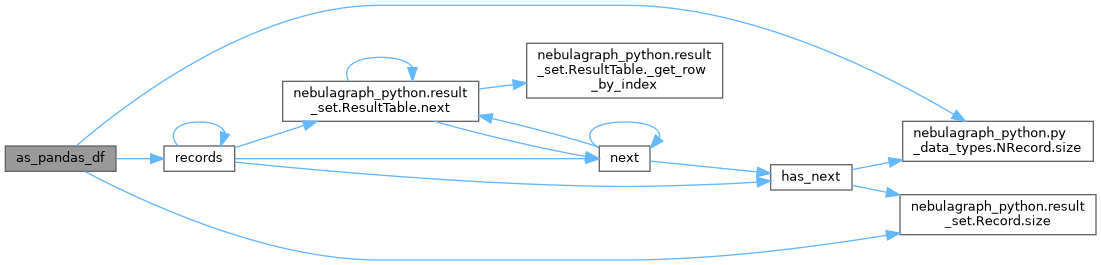
◆ as_pandas_df()
| "DataFrame" as_pandas_df |
( |
|
self | ) |
|
Convert result set to pandas DataFrame.
Definition at line 348 of file result_set.py.
◆ as_primitive_by_column()
| Dict[str, List[Any]] as_primitive_by_column |
( |
|
self | ) |
|
◆ as_primitive_by_row()
| Iterable[Dict[str, Any]] as_primitive_by_row |
( |
|
self | ) |
|
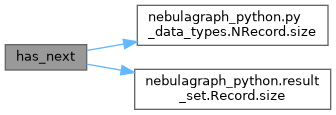
◆ has_next()
Return True if there are more rows to consume.

Mirrors Java ResultSet.hasNext().
Definition at line 281 of file result_set.py.
◆ is_empty()
Return True when the result set contains no rows.
Definition at line 273 of file result_set.py.
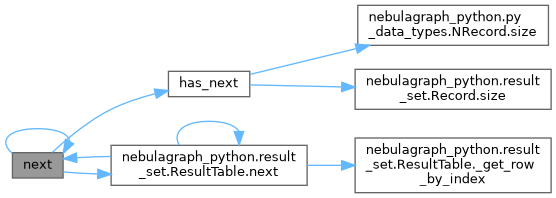
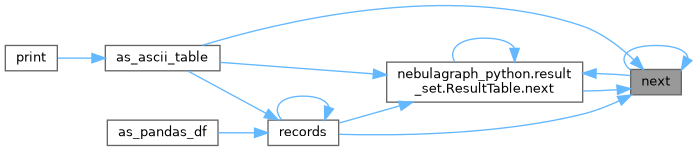
◆ next()
Decode and return the next row as a Record.

Mirrors Java ResultSet.next(): each call advances the internal
cursor and decodes exactly one row on demand.

Raises
------
    StopIteration: when no more rows are available.
Definition at line 290 of file result_set.py.
◆ one()
◆ one_or_none()
| Optional[Record] one_or_none |
( |
|
self | ) |
|
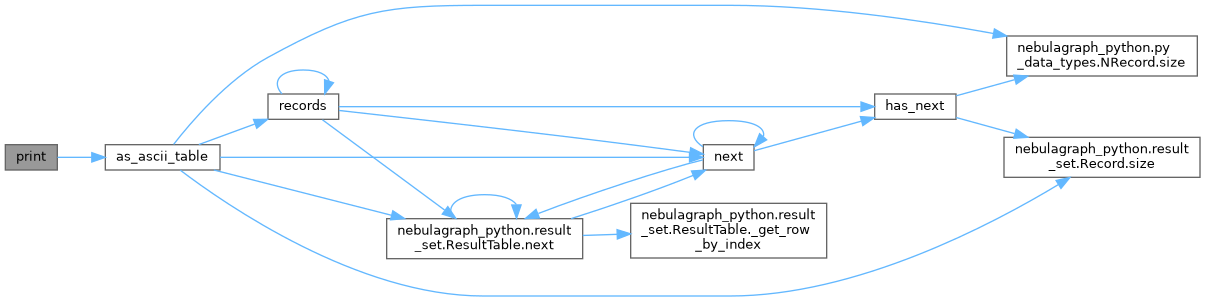
◆ print()
| print |
( |
|
self, |
|
|
str |
style = "table", |
|
|
Optional[int] |
width = None, |
|
|
int |
min_width = 8, |
|
|
Optional[int] |
max_width = None, |
|
|
int |
padding = 1, |
|
|
bool |
collapse_padding = False |
|
) |
| |
Print the results directly to console with rich formatting.
Definition at line 456 of file result_set.py.
◆ raise_on_error()
| "ResultSet" raise_on_error |
( |
|
self | ) |
|
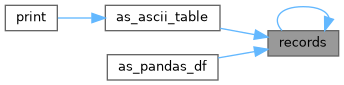
◆ records()
| Iterator[Record] records |
( |
|
self | ) |
|
Generator that yields all remaining Records.

Compatible with existing code that calls ``for record in result.records()``.
Definition at line 324 of file result_set.py.
◆ column_names [1/2]
◆ column_names [2/2]
◆ extra_info [1/2]
◆ extra_info [2/2]
◆ is_succeeded
◆ latency_us [1/2]
◆ latency_us [2/2]
◆ plan_desc [1/2]
◆ plan_desc [2/2]
◆ result_table [1/2]
◆ result_table [2/2]
◆ size [1/2]
◆ size [2/2]
◆ status_code [1/2]
◆ status_code [2/2]
◆ status_message [1/2]
◆ status_message [2/2]
The documentation for this class was generated from the following file:
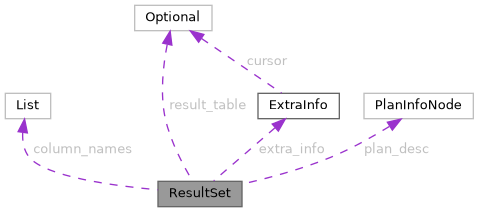
 Collaboration diagram for ResultSet: